This article originally began as ‘ways for teens to make money’, but as I have updated and added to it over the years, I have found that many of the items listed actually work for mature teenagers as well as many adults looking to make some extra income.
 Not sure about you, but there have been many times in my life when I wanted/needed to make some extra money.
The good news for us today is there are a wide range of ways to make money that weren’t around even a decade ago.
Luckily for many of us, we may already be very skilled in certain areas that could easily translate into a nice side income for us.
So potentially, someone who is willing to work hard could make considerably more than working traditional side jobs like delivering pizza, babysitting, mowing lawns, etc.
So, check out the ideas listed below. Some may not be a good fit, but some of the ideas may be perfect for you!
THE 35 WAYS TO EARN MONEY
In the list below you will find a bunch of money-making ideas to consider. I have tried most of them, but some I have not.
But in every case we investigated them when we added them to the list to confirm that they were indeed legit ways to make money, and not a royal waste of time.
That said, some of the strategies listed below are things that could potentially turn into a full-time job, while others really might only provide a little extra spending money.
1SurveyJunkie – An actual LEGIT survey site
Table of Contents
I have always been a little hesitant to recommend survey sites because many of them are so scammy, but Survey Junkie stands out as a legit player in this industry.
They make it easy to get paid (unlike so many other survey sites) and they have over 7 million members, so clearly they are doing something right.
You won’t get rich taking surveys, but it may be one of the simplest money making websites out there.
2 List your home on Airbnb
Airbnb is a site that allows you to list your home (or just a room) for other people who may just want to visit where you live.
You can list it as often as you want and can list it to be by the night, week, or month. Airbnb offers a $1,000,000 guarantee to protect you from any kind of property damage that may be caused by guests.
They also have a guest rating system, so you can choose whether or not you want to approve that guest to stay in your home.
Check out the video below for more information:
3Make Money Online with Swagbucks
 Basically this is a free site that offers you a bunch of ways to earn cash, gift cards, or other rewards. For any teens out there, it is great because you only need to be 13 years old to join, so this is a great way to make money for teens of all ages!
You can earn money by a variety of methods including:
- Answering polls
- Using their search engine
- Doing simple tasks (like giving feedback about a website)
- Getting cash back for shopping online
- Playing games on their site.
I have tried it out and have received multiple payments from them, so I can attest that it is legit. Check out my review here! They also offer a $5 bonus!
Try Swagbucks Now!Oh and they also have an A+ rating with the BBB.
While you won’t get rich doing this, to me it seems like a great way for internet-lovers to make some money. Find out more here.
4Start making money scanning your groceries
 Have you heard of the National Consumer Panel (NCP)?
Well, they pay you to scan your grocery purchases with their Smartphone App.
Basically, as a member of NCP you help manufacturers and retailers make decisions on what products to develop or improve.
How it works:
- Sign up for your free account here
- Next NCP will provide you access to use their Smartphone App
- Then, you’ll use your phone to scan the barcodes on all products you purchase during any shopping trip.
- You record some other information like where you shopped and how much you paid.
- Each week you are compensated with points that can be redeemed for CASH.
For more info, you can check out their website or sign up here.
5Get paid to drive your own car
So, by now you have probably ridden in an Lyft, but have you ever thought to drive for Lyft?
Depending on your city you can make decent money all while having 100% control of your schedule. I can’t think of a more flexible job way to make some extra cash!
If you don’t know what Lyft is, basically it is the 21st century version of the taxi. You just use your own car and when someone near you wants a ride you get a notification on your phone (assuming you selected that you were available in the app) you go pick them up and drop them off where they want to go and then you automatically get paid.
6Use Bookscouter to sell books from Thrift stores
 Ok here is a simple home-based business idea for you.
Start by downloading the BookScouter app on your phone or going to BookScouter.com.
Go visit garage sales or thrift shops and scan the used book sections to find books that you can sell for higher prices.
Many thrift stores sell all their books for 50 cents or less and some of those books are worth a whole lot more.
As you can see in the image to the right, you just scan the barcode with your phone (or enter the ISBN #) and then the app provides the prices that a bunch of book buyback sites are willing to pay for that particular book.
In this case, we can make $3.60 selling this Dave Ramsey book. If I can buy it for 50 cents, then that sounds like a nice profit.
Most of the sites offer free shipping as well, so you don’t even have to pay shipping.
7Make Money Blogging

I have been making a full-time living blogging for 9 years now, and it isn’t a get-rich-quick scheme, but blogging can definitely be a good way to earn some extra cash.
Additionally, I actually wrote a short book that explains how I replaced my day-job with my blog – and even though it sells for $5 on Amazon, you can get it FREE here.
The book covers the basics of getting started as well as how to get traffic and how to earn from it as well.
And if you just want to dive right in and get started, I have a free guide to setup your blog here as well.
8Make Money Grocery Shopping with Shipt
Shipt is an on-demand grocery delivery service looking for reliable, independent people to shop for groceries and deliver to their members.

They aren’t available in all states yet but as a Shopper, you can make an average of $15-$25/hour, be a part of an exciting start-up and set your own schedule.
To be a Shipt shopper, you must:
- Be at least 18 years old
- Have reliable transportation
- Have a current Driver’s License
- Have knowledge of produce selection
- Agree to a thorough background check
9Earn money from your credit cards
This only works if you do NOT carry a balance on your credit cards, but if you pay them off every month (like you should) you can be earning a good amount cash-back each month.
For example..
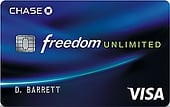 If you got the Chase Freedom Unlimited card, it pays 1.5% cashback on all purchases.
What that means is that most people using it as their primary card would earn $500-$1,000 a year in cashback.
On top of that, they offer a $150 bonus, just for signing up.
(Compare this card with other cashback cards here)
Do you travel?
If you travel a decent amount like we do, you might even be better off using a rewards credit card.
In our case we have gotten 97 free flights and 161 hotel nights free all because of our credit card rewards. I wrote extensively about the process that we use to travel for free in the U.S. here.
10Get paid to declutter your house?
I challenged myself to see how much money I could make in 30 days by decluttering my house and selling off the unwanted items.
When all was said and done, I made $2,184 by selling items that I didn’t even want anymore!
While it did take a good chunk of my freetime, after calculating how much I made per hour it was around $200/hr! Try to find a better paying job than that!
You can read all about exactly how I did it to maximize my earnings in the article below:
11Get paid for testing websites
Many big companies are looking for feedback about the usability of their website.
This is where Usertesting.com comes in. You sign up for free and then answer questions about a particular website, explaining what is good or bad, confusing or clear, etc. and then you get paid.
You have to be accepted into the program and must be 18+, but the payouts are pretty good! Their current payouts are $10-$15 per test and the tests normally take about 20 minutes.
12Buy and Sell cars for profit
 If you love cars and aren’t afraid to haggle, you could start a car flipping biz. We have a friend of the family who has done this for years. He scours the classified listings for deals, lands a good deal and then drives the car while trying to sell it for a couple grand more.
Sometimes he sells them quickly, sometimes it takes a little longer, but he gets to drives lots of cars (which he loves) and makes a nice side income as well.
13Sell your closet
If you are anything like my wife, you have a closet full of old clothes that you don’t wear any more.
You can easily sell them on a site like ThredUp, which will pay anywhere from $2-$25 for items from Gap, Banana Republic, J.Crew, etc.
What I love about them is that all you have to do is pack up your clothes in a box and then just ship it to them – you don’t even have to pay for shipping!
This one would have come in really handy when I was 16 years old!
14Invest in real estate
Admittedly, this one requires some money in order to make money, but Fundrise has become my new favorite method of earning passive income so I figured it was worth the mention.
After running an experiment to see if Fundrise could earn more than my rental property, I discovered that it did indeed generate more income than my rental and so I quickly sold it!
15Sell Plasma or do Medical studies
Not sure how old you have to be, nor how painful it is, but if you are into that sort of thing, it can be a way to make some quick money.
You can find plasma donation centers here or if you want to do medical studies, you can just google “medical studies” + your city to find some options.
I have a couple friends who have almost done this exclusively as a job. They were basically human guinea pigs, but they made some decent cash at it. Sometimes they would have to be at the medical facility for up to 48 hours, so your schedule may need to be flexible.
16Work as a virtual call center agent
One of our writers worked as a virtual call center agent and this is what she had to say about LiveOps.com:
“Live Ops is a company that hires virtual call center agents. You are responsible for paying for your own criminal background check prior to starting work (this costs around $30). You also must have your own dedicated phone line and a quiet workspace.
Once you are all set up, Live Ops has an excellent online training program that teaches you how to handle calls from customers. You will be taking calls for many different companies. When you start working, your phone will ring and a script will pop up on your screen. You simply read the script word for word and input customer information as you go along. If customers have questions, there is a section on your screen with FAQ’s and you are also logged into a virtual chat room should you need to ask for support from a supervisor.
The pay is .25 per minute of talk time. Agents typically make anywhere from $7-$14 per hour. As for the hours, they are totally flexible. You can choose which shifts you want to work each week and the shifts are broken down into half hour increments giving you optimal flexibility. You can even log in and work if you are not scheduled for some impromptu cash.”
17Get Paid to Shop
There is a cool app (Android and iPhone) called IBOTTA that pays you for your everyday shopping that you do.
It is completely free and pretty easy to use.
Just watch the quick video for more info:
18Build Websites For Others
I can’t tell you how many people have asked me to build them a website since I started this one a couple years ago. I am not seeking the work and people are requesting it, so if you do a little legwork and pursue small business owners, there is a lot of work available.
Teens might be great for this because they would be able to work for less than some higher end website developers, which would put them in the price range that it seems many small businesses are looking to spend.
19Tutor or give lessons with Take Lessons
If you have a skill that you can teach other – guitar, singing, dancing – this is a great site for you to check out!
Take lessons gives you the opportunity to grow your business by reaching more students across the country with no risk – they don’t get paid until you get a new student!
The process is pretty easy – you fill out an application online, complete a background check and agree to their independent contractor terms and then you can get started!
You’ll start earning 60% of the price your student pays for lessons and for every 5 lessons you teach, you’ll earn 10% more of that student’s lesson price – up to 90%!
20Create Facebook Graphics or Pages
or Twitter backgrounds for that matter.
Lots of small business owners are needing help making their online presence not so lame. If you have even the smallest amount of graphic design skill you can help some of them!
Just set up a simple site to sell your work, get a paypal “buy it now link” and you are off and running.
21Rent out your car for $10+ an hour
I just heard about Turo.com which allows you to either rent or lend your car to others – and get paid in the process.
It is basically like Airbnb, but for cars. I have used it a ton to rent cars myself as it is a great way to save money, but haven’t actually rented my car out myself.
If you live in a big city, this could be pretty profitable!
22Raise Money Online
If you are raising money for a community service project or missions, you might want to check out a site like GoFundMe.com.
They make it easy for teens to raise money for any type of project. People have used it to raise the money for everything from mission trips to medical bills, weddings and honeymoons, business ventures, and even college tuition.
23Social Marketing Consultant
Many companies are looking for qualified candidates who know the ins and outs of Instagram, Facebook, and Twitter to help them with their social marketing efforts.
Head over to a job site and search for “social media marketing”.
24Get Paid to Do the Leg Work for Others with WeGoLook
WeGoLook is a way for customers to have someone else do the leg work of having something inspected or perform a task.
As a “looker”, you join a family of over 20,000 who are dispatched based on their skills and experience. You must pass a background check, dress and appear professional, work with the onsite contacts in a friendly way and have the ability to do your “looks” via a smart phone.
To become a looker, you apply online, pass the background check and start projects that pay between $25 to $200.
25Start an eBay business
A few years ago I experimented with starting an eBay business to see if there was money to be made.
Basically my experiment went like this:
- I found a wholesaler selling guitar necks
- I bought them at a discount from the wholesaler
- I then sold them at the retail prices on eBay
I documented exactly how I did it in my guide: how to start an eBay business: step-by-step.
26Sell Digital Photos
 Making money as a photographer has become easier over the last decade. There are now lots of sites looking to buy digital photos:
As with most things, the better you are, the more money you will make, but it can be a nice passive income if you work at it!
27Find odd-jobs on Craigslist
Some of these might be landscaping work, or similar odd-jobs, but it might be great summer-time work!
28Sell vintage items or widgets on Etsy.com
If you create any kind of arts or crafts or widgets of any sort, you should definitely be selling it on Etsy.com.
Read our step-by-step tutorial of how to set up your Etsy shop.
29Design Web Logos
If you have a flair for design, it may be worth trying to make some money designing logos for small business or blogs.
30Pay off your debt!
This isn’t exactly a money-maker per se, but if you are paying $200 in interest charges to your credit card each month, and you pay it off, guess how much more money is in your pocket each month?
And that is the goal right?
This article outlines how we paid off our credit card debt and should answer any question you might have…
31Be a Mystery Shopper
This is the dream job isn’t it? You get to shop and get paid!
If you are not familiar with mystery shopping, the gist is that companies often hire everyday people like you and I to come in and pose as regular shoppers.
All the while we are paying attention to how clean the store is, how kind the employees are, etc and then reporting back our findings.
If you are interested you can sign up for mystery shopping jobs in your city.
32Offer to do jobs on Zaarly.com
Zaarly is a website that connects those offering random services (like walking a dog, being a personal assistant for a day, giving guitar lessons, etc) with buyers who are looking for those services. I would suggest checking out some of the ideas listed on the site and sign up and offer those services.
33Get paid from your iPhone (smartphone)
There seem to be some apps popping up that pay you to do simple stuff like take a picture of a menu, or of yourself drinking a starbucks, or verifying that a road is closed – you get the picture. Here are a few that I found:
34Teach English (or other Language) Classes Online
Did you know that English speakers are in high demand in Asia? As a result many are turning to freelance English teachers using websites like Italki.com.
The site is basically a virtual online classroom for freelance teachers and students. Anyone can offer lessons (and set their own price) and anyone can take lessons. From a quick scan, it looks like making $15-20/hour is a fair expectation.
If you’re looking for some additional ideas, check out this video about 12 side hustle ideas that pay well!
If you are looking for additional reading, check out these articles…
FTC Disclosure of Material Connection: Some of the links in the post above may be affiliate links. This means if you click on the link and purchase the item, we will receive an affiliate commission. Regardless, we only recommend products or services we use personally and/or believe will add value to readers. Read more here.





